
When technology leaves you scattered, restore focus by pausing incoming demands, letting your attention settle, and returning to one clearly defined task. This practical approach is for anyone who works, studies, or manages relationships through screens, and it does not require abandoning useful tools. The goal is a more deliberate relationship with technology, not perfect discipline.
Key takeaways for recovering your attention
- Notice the specific pattern that drains you, rather than blaming yourself for having low willpower.
- Use a short, screen-free transition before deciding what to work on next.
- Reduce interruptions at their source with notification settings and shared expectations.
- Build routines that protect concentration without disconnecting from real responsibilities.
Digital fatigue is a signal to examine your work pattern
Digital fatigue is a useful everyday term for feeling mentally depleted or scattered after sustained screen use and frequent digital interruptions. It is not, by itself, a medical diagnosis. Treat the feeling as information: something about the pace, task switching, or demands on your attention may need to change.
Look for patterns such as rereading a message without absorbing it, checking a device automatically, or feeling unusually irritable after switching between conversations and tasks. These experiences can have other causes, so avoid assuming that technology explains everything. Notice when they arise and what happened just before.
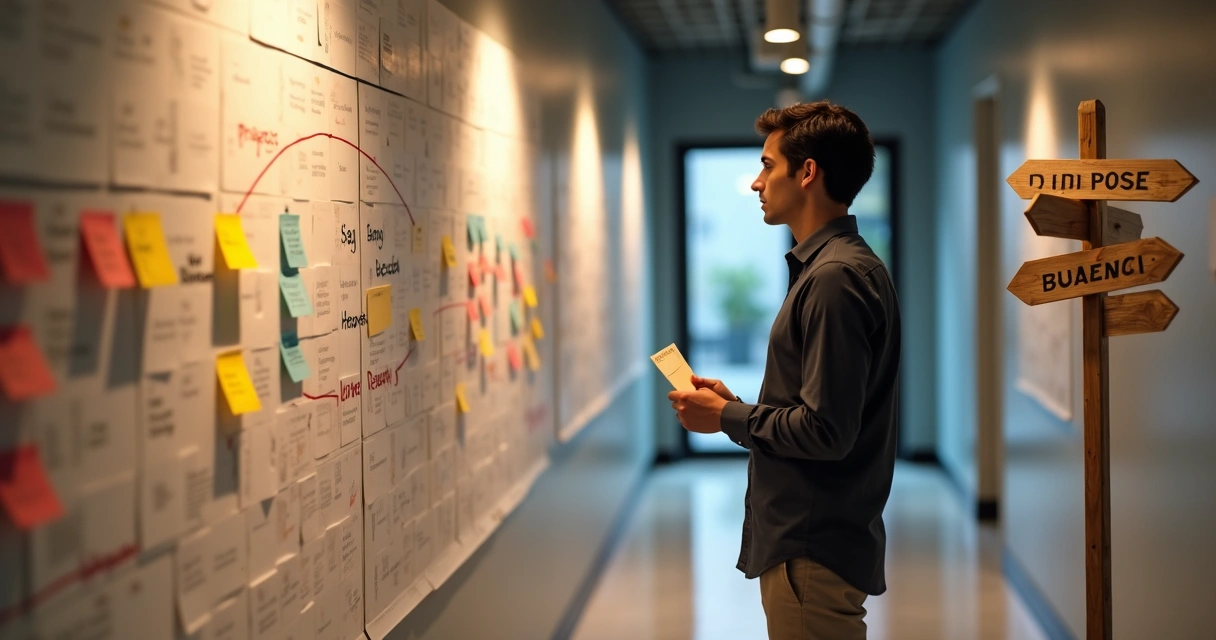
For example, a manager may finish a video call, open email, reply to a chat, and then struggle to prepare a decision memo. The problem may not be a lack of commitment. The workday offered no intentional transition between other people’s requests and focused thinking. A more mindful approach to digital overload starts by recognizing that pattern without judgment.
Use a short reset before returning to work
A brief reset can help you choose your next action instead of reacting to the next notification. Try this sequence when you notice your attention slipping:
- Pause the input. Close extra tabs, silence nonessential alerts, and put your phone out of immediate reach.
- Change your surroundings. Stand, stretch, or move away from the desk for a few minutes.
- Let your attention widen. Look away from the near screen toward a distant view, or simply notice the room around you.
- Name one next step. Write down a concrete action small enough to begin, such as outlining the first paragraph or reviewing one page.
This is a practical pause, not a test you have to pass. If your responsibilities make a full break impossible, even closing unrelated windows and taking a few unhurried breaths can mark a transition. A mindful pause in a digital workday can help you move from automatic checking to a deliberate choice.

Reduce interruptions without abandoning useful technology
Make the tools serve the task, rather than letting every tool compete for your attention. Start with the settings and habits that create the most friction, then change one or two at a time so the boundaries are sustainable.
- Turn off alerts that do not require an immediate response, while keeping essential calls or emergency channels available.
- Choose specific times to check email and chat when your role allows it.
- Keep only the tabs and applications needed for the current task open.
- Tell colleagues how to contact you when an issue genuinely cannot wait.
For instance, a team can agree that routine questions go in a shared channel, while urgent matters use a direct call. That reduces guesswork for the person trying to concentrate and for colleagues who need a timely response. Teams can also review how multitasking affects their work habits and decide which norms support thoughtful results.
Protect focus with clear transitions and team norms
Lasting improvement comes from shaping the rhythm of the day, not relying on motivation alone. Before opening a new task, take a moment to close out the previous one: note what is finished, record what remains, and identify the next action. This prevents unfinished work from silently following you into every new screen.
Leaders can support focus by making response expectations explicit. If every message appears urgent, people may feel they must monitor everything continuously. Set realistic norms for response times, protect periods for concentrated work when possible, and model taking breaks without treating them as a lack of commitment.
Small, repeatable transitions can make the workday feel more coherent. A deliberate transition between tasks helps connect awareness with action: you notice what the moment requires, then choose how to respond. That is more sustainable than expecting yourself to remain intensely focused all day.
When should you seek additional support?
Changing screen habits may not resolve persistent exhaustion, sleep problems, anxiety, or difficulty concentrating. If these experiences continue, significantly affect daily life, or feel hard to manage, speak with a qualified health professional. Digital fatigue is a descriptive phrase, not a substitute for an individual assessment.
It can also help to look beyond devices. Workload, stress, health, rest, and personal circumstances all shape how much attention is available. A balanced response considers the whole situation rather than treating every concentration problem as a technology problem.
Frequently asked questions
How can I tell if I’m experiencing digital fatigue?
Digital fatigue often appears as difficulty staying with one task, rereading the same material, feeling irritable after repeated alerts, or reaching for a device without a clear reason. These signs can have other causes, too. Notice when they occur and whether a change in screen habits helps.
What is digital overstimulation?
Digital overstimulation is a useful everyday description for feeling mentally crowded by frequent alerts, rapid content, and repeated switching between screens or tasks. It is not a diagnosis. The practical question is whether your current technology habits leave you less able to focus, rest, or respond thoughtfully.
How do I get rid of digital fatigue?
Start by pausing incoming interruptions, stepping away from the screen, and choosing one small task to resume. Then adjust the conditions that contributed to the drain, such as unnecessary alerts or constant inbox checking. If exhaustion or concentration problems persist, consider discussing them with a qualified health professional.
How can I prevent technology from draining my focus?
Make technology more intentional: silence nonessential alerts, check messages at planned times, and keep one task visible while you work. Agree with colleagues on what counts as urgent and how to reach you. Short screen breaks and clear stopping points can help make those boundaries realistic.
Can three days without my phone reset my brain?
A three-day break may give you time away from notifications, but there is no guaranteed reset that works the same way for everyone. Focus also depends on sleep, stress, workload, and other conditions. Try a manageable change, observe how you feel, and keep the habits that make attention easier to sustain.